
Last updated: October 18, 2026
A 7-segment display uses seven bars plus a decimal point to show digits and a few letters. Choose 14- or 16-segment only when you need full upper and lower case letters; if your messages fit on seven segments, it is usually the cheaper option.
| Type | What it can show | Choose it when |
|---|---|---|
| 7-segment | Digits 0–9, a decimal point and a limited set of letters (e.g. HELLO, GO) | Your messages fit on seven segments; usually the cheaper option |
| 14- / 16-segment (alphanumeric) | Every letter; 16 segments cover full upper and lower case | You need full upper and lower case letters |
| Dot-matrix | Graphics and freer fonts | You need graphics or free-form characters |
| RGB 7-segment | Color changes | You need the display color to change |
Know the family: 7, 9, 14 and 16 segments
A 7-segment digit shows Arabic numerals; its segments are named A to G clockwise, and the round dot at the lower right is the decimal point (DP). A 9-segment digit adds two diagonals inside the figure-8, and 14- and 16-segment displays add enough strokes to draw every letter, which is why they are also called alphanumeric displays. Decide what your product must say first, then pick the segment count.
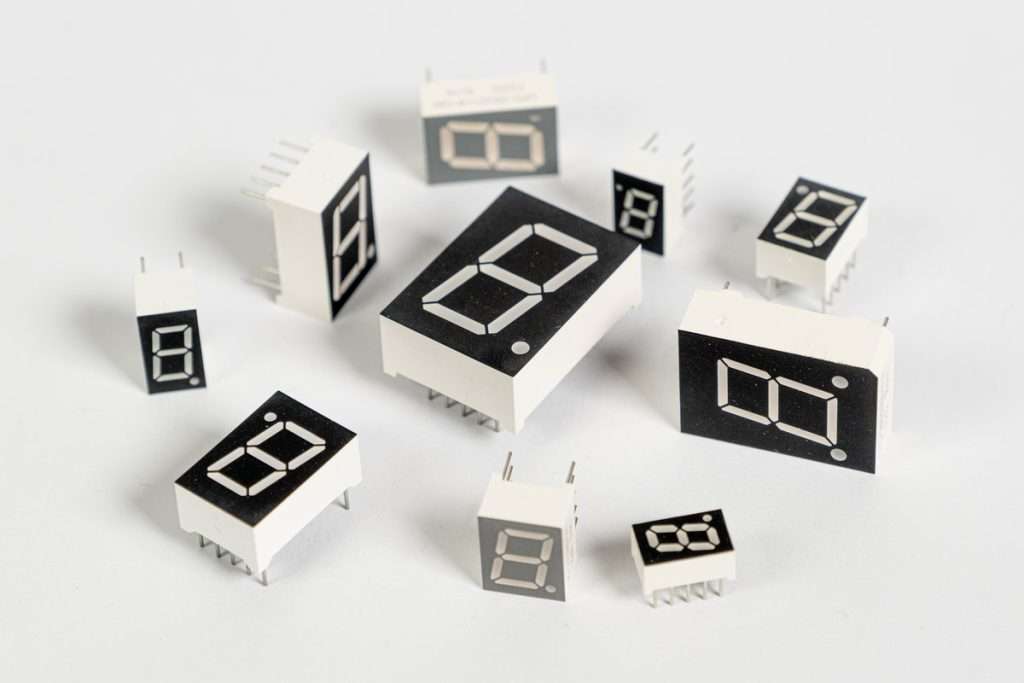
- 7-Segment vs. 16-Segment LED Displays: Types and Internal Structure
- What Is a 9-Segment Display? 9 vs 7, 14 and 16-Segment Displays
- Character Height vs Viewing Distance: What Size LED Display Do You Need?
What each type can show: digits, letters and truth tables
Seven segments cover 0 to 9 and a limited set of letters, enough for short words such as HELLO or GO. Sixteen segments cover every upper and lower case letter. Firmware needs a truth table to know which segments to light; the truth-table article below lists the segment codes for digits and letters, with application examples (a dashboard, a workout timer, a treadmill and a microwave oven).

- 7-Segment vs. 16-Segment LED Displays: Types and Internal Structure
- How 7-Segment and 16-Segment LED Displays Show Numbers and Letters
- Using LEDs to display information! The four most common types
Wiring: common anode, common cathode and the series resistor
There are only three ways to wire an LED display: direct, common anode and common cathode. Common anode pairs with a current-sinking driver and common cathode with a current-sourcing one; mixing them up gives a dark display or ghosting. Each segment also needs a series resistor sized for the supply voltage. Part numbers usually tell the two apart, for example OPS-S5620SE-BW is common anode and OPS-S5621SE-GW is common cathode.

- Three Common LED Connection Methods: Common Anode, Common Cathode and Direct
- How to Calculate a Current-Limiting Resistor for a 7-Segment Display
- TM1637 vs MAX7219 vs HT16K33 vs 74HC595: Which 7-Segment Driver IC Should You Use?
- Static vs Multiplexed Drive for 7-Segment LED Displays: Flicker, Brightness, Pins and EMI
- PWM Dimming and Camera Flicker: What Frequency Keeps LED Displays Band-Free?
Not sure which segment count or wiring fits your product? Request a quote with the characters you need to show and the size, and the OPTO PLUS LED engineering team will suggest a matching part.
Other formats: dot-matrix and RGB
When you need graphics or freer fonts, a dot-matrix display is more flexible than a segment display; when you need color changes, look at RGB 7-segment parts. Each has a write-up and a product list.
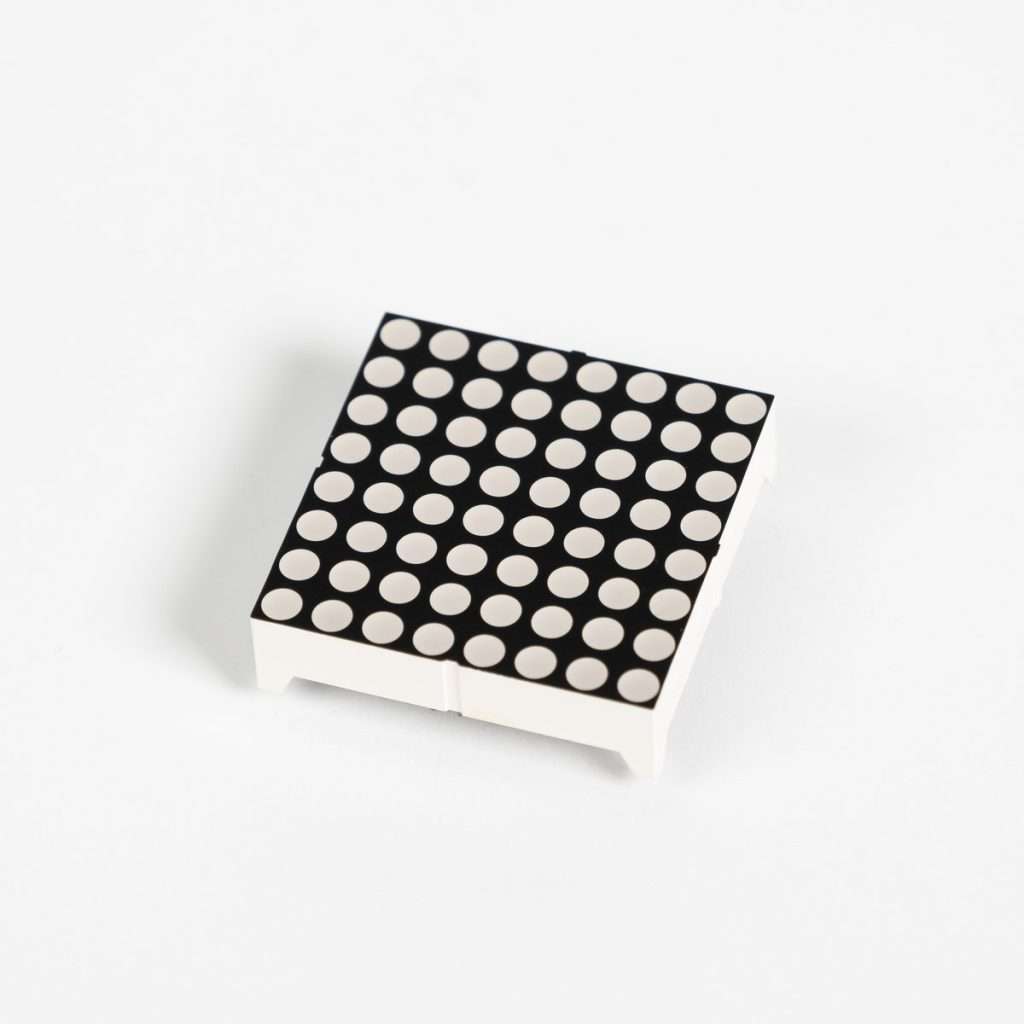
- Dot-Matrix Displays: Names, Types, Internal Structure and Applications
- Arduino-Compatible RGB 7-Segment Display: New Product Release
- LED Dot-Matrix Displays (product list)
Quality issues and end-of-life replacement
Two appearance issues come up most: hotspots and uneven color between segments; each article explains causes and how to judge them. If you are replacing a discontinued 7-segment part from another maker, start with the ROHM end-of-life replacement guide and then compare pin-out and specifications.
- Common LED Display Defects: Hotspots
- Common LED Display Defects: Uneven Color
- ROHM 7-Segment LED EOL: Replacement Evaluation Guide
Find a part and take the next step
If no standard part fits exactly, look at standard product customization first (change color, change circuit, add pins) before going to a fully custom design. Our advice: shortlist two or three close part numbers in the product list, then send them with your requirements in the quote request, which saves a round of back and forth.
- 7-Segment LED Displays (product list)
- Alphanumeric LED Displays (product list)
- LED Display product category
- Standard Product Customization
- Request a Quote
- More LED knowledge articles (category)
Related guides: Custom LED Display Process · LED vs LCD Display Guide · SMD & THT Package Guide
FAQ
Some of them. A 7-segment display is mainly for Arabic numerals, but it can also form a limited set of upper and lower case letters and short words such as HELLO or GO. For the full alphabet in both cases you need a 14- or 16-segment (alphanumeric) display. List every string your product will show and check each against the 7-segment letter table before deciding.
Choose by the driver. In a common anode display the shared pin goes to the positive supply and you pull a segment pin low to light it, which suits a current-sinking driver. In a common cathode display the shared pin goes to ground and you drive the segment pin high, which suits a current-sourcing driver. OPTO PLUS LED part numbers distinguish the two by suffix, so confirm against the datasheet before ordering.
Yes. This is called standard product customization: starting from an existing standard model and changing the emitting color, the internal circuit or the pin-out. Tooling / development cost is determined by quotation; MOQ is typically 1,000-10,000 pcs, quoted per part number; production lead time is 6-8 weeks. Read the customization page first, then send your requirement through the quote request.
Reviewed by the OPTO PLUS LED Engineering Department.